Quick answer: What is IPTV? IPTV (Internet Protocol Television) is TV delivered over your broadband instead of an aerial, satellite dish or cable. You watch through an app on a Smart TV, Firestick, phone or computer. It includes live channels, a TV guide, catch-up and films on demand. BBC iPlayer, NOW and Sky Glass all use IPTV. Try it with our free 24-hour trial.
| Full name | Internet Protocol Television |
|---|---|
| Delivered by | Broadband, not aerial, dish or cable |
| Watch on | Smart TV, Firestick, phone, tablet, computer |
| Includes | Live TV, TV guide, catch-up, films and series |
| Speed needed | About 15 Mbps for HD, 25 Mbps for 4K |
What is IPTV? The simple answer
What is IPTV in plain English? It’s television that arrives through the internet. Instead of a signal from a mast, a satellite or a cable network, the picture is sent as data over your broadband, the same way a YouTube video or a video call reaches you.
You watch it through an app. On a Smart TV it might be a built-in app; on a Firestick or Android box you install one; on a phone you download it from the app store. Open the app, choose a channel from the list and it starts in a second or two, just like normal TV.
The technical name is Internet Protocol Television. “Internet Protocol” is simply the set of rules every device on the internet uses to send data. So when people ask what is IPTV, the shortest answer is: TV over the internet.
You’ve probably used IPTV already without calling it that. If you’ve watched live TV on BBC iPlayer, streamed a match on a sports app or used Sky Glass, you’ve used it. So what is IPTV, compared with those? It’s the same technology; the only differences are which channels are included and which app you watch them in.
How does IPTV work?
A TV provider takes live channels and films, encodes them into digital video streams and stores them on servers. When you choose a channel in your app, the app asks the server for that stream, and the server sends it to you in small chunks over your broadband.
Your device decodes the chunks into pictures and sound in real time. A small buffer, usually a few seconds, smooths out tiny drops in your connection. That’s why a steady connection matters more than a very fast one for IPTV.
The app also downloads a TV guide (EPG) that shows what’s on now and next. With on-demand content, nothing is broadcast at all: the film simply starts when you press play, like Netflix. That mix of live and on-demand is a big part of what is IPTV’s appeal.
Picture quality depends on the stream and your connection. Full HD needs around 15 Mbps and 4K around 25 Mbps. Once the stream is steady, what is IPTV like to watch? On a good setup, it looks just as sharp as satellite or cable, and channels change in a second or two.
IPTV vs satellite, cable and Freeview
| Feature | IPTV | Satellite | Cable | Freeview |
|---|---|---|---|---|
| Delivery | Broadband | Dish | Cable network | Aerial |
| Installation | Install an app | Engineer and dish | Engineer and box | Aerial and TV |
| Devices | TV, phone, tablet, PC | Provider’s box | Provider’s box | TV or recorder |
| On demand | Built in | Via broadband | Via broadband | Via apps |
| Needs broadband | Yes | For extras | Yes | No |
The biggest difference is flexibility. IPTV works on almost any screen with an internet connection, with no dish or engineer visit. The trade-off is that it depends on your broadband, so a weak connection can cause buffering.
Older readers sometimes ask what is IPTV compared with the old “internet TV” boxes of the 2000s. Today’s IPTV is far more reliable: broadband is faster, apps are smarter and devices are cheaper. A modern streaming stick costs less than a set-top box rental used to, and setup takes minutes rather than an engineer visit.
Types of IPTV: live, on demand and catch-up
Live TV: channels streamed as they’re broadcast, with a TV guide. This is what most people mean when they ask what is IPTV.
Video on demand (VOD): films and series you can start whenever you like, with pause, rewind and resume.
Catch-up (time-shifted TV): programmes from the past few days that you can watch from the start, even after they’ve aired. Many services, including ours, combine all three in one app, so live TV, box sets and missed shows sit side by side.
Another way to think about what is IPTV: it’s a TV guide, a film library and a catch-up service rolled into one app. You don’t switch between different boxes or inputs. Everything lives in one place, organised into groups such as Entertainment, Sport, Kids and Films.
What do you need to watch IPTV?
- A broadband connection: around 15 Mbps per screen for HD and 25 Mbps for 4K.
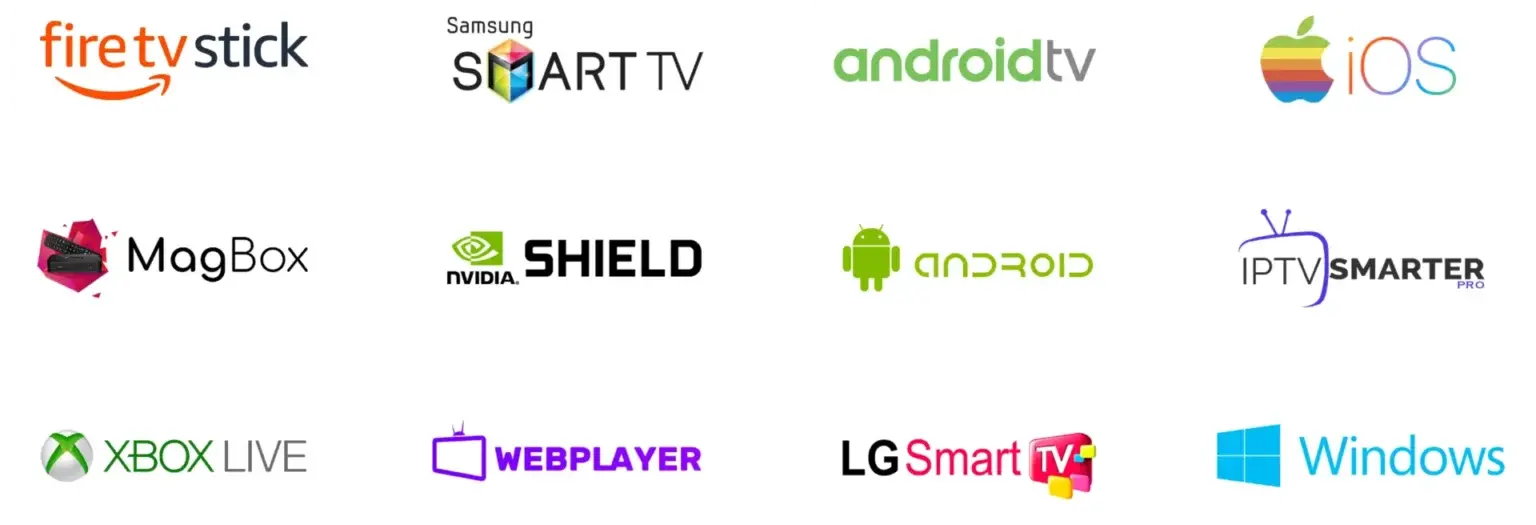
- A device: Smart TV, Firestick, Android TV box, Apple TV, phone, tablet or computer.
- An IPTV app such as TiviMate, IPTV Smarters Pro or IBO Player.
- An IPTV service or subscription to supply the channels.
- A TV licence if you watch live TV in the UK.
Most UK homes already have everything except the app and the service. That’s why IPTV has become one of the easiest ways to add channels without new equipment.
What is IPTV going to cost? The devices are often things you already own, and services vary widely in price. Ours starts at £9.99 for one month, or £3.75 a month on the 12-month plan, with a free 24-hour trial first. There’s no contract, so you can stop at the end of any period.
How to start watching IPTV: quick steps
- Check your broadband speed at a busy time of day.
- Choose the device you’ll watch on most.
- Install a recommended IPTV app for that device.
- Add the login details from your IPTV service.
- Wait for channels and the TV guide to load.
- Add favourites and start watching.
Our IPTV setup guides walk through these steps for every popular device and app, with the exact menus you’ll see.
Still wondering what is IPTV going to feel like day to day? Most people find it surprisingly familiar. You press a button on the remote, the guide appears, you pick a channel and it plays. The main difference is that you can also watch the same channels on your phone in another room.
Step 1: Check your broadband
Run a speed test around 8pm, when networks are busiest. For one screen in HD, aim for 15 Mbps or more; for 4K, 25 to 30 Mbps. If several people stream at once, add their needs together.
Wi-Fi strength matters too. If the TV is far from the router, consider an Ethernet cable, powerline adapters or a mesh system. A wired connection removes most buffering.
If your speed test looks low, restart the router and test again, then try a test right next to it. A big difference between the two usually means Wi-Fi range is the problem rather than your broadband package, and a cable or mesh point will solve it.
Step 2: Choose a device
The Amazon Fire TV Stick 4K Max is the most popular IPTV device in the UK thanks to its price and app choice. The Nvidia Shield is the most powerful. Samsung, LG and Hisense Smart TVs can run IPTV apps directly, and phones and tablets work anywhere.
See our Firestick IPTV guide or Samsung TV IPTV guide for device-specific steps.
Prefer to keep your current TV setup? IPTV happily sits alongside it. Plug a streaming stick into a spare HDMI port and switch inputs when you want IPTV channels. That’s what is IPTV at its most flexible: an extra source of channels and films, not a replacement you have to commit to straight away.
Step 3: Install an IPTV app
An IPTV app is a player: it shows channels, the guide and films, but has no content of its own. TiviMate is the favourite on Fire TV and Android TV, IPTV Smarters Pro works on almost everything, and IBO Player is popular on Smart TVs.
Always install apps from official stores or the developer’s own website. Our IPTV Smarters Pro guide and TiviMate guide show you how.
Keep your app updated through the device’s app store. Updates fix bugs, improve playback and add features like better guides and faster channel changes. It’s a small habit that keeps everything running smoothly for years.
Step 4: Add your subscription
Your IPTV service sends login details, usually an Xtream Codes username, password and server URL, or an M3U playlist link. Enter them in the app, and it downloads your channels and TV guide in about a minute.
Want to test first? Our free 24-hour IPTV trial includes the full channel list, films and 4K, with no card needed. Plans start at £3.75 a month on 12 months; see all IPTV subscription plans.
Once everything is set up, spend a couple of minutes adding favourites and hiding groups you won’t use. It makes the channel list feel personal and much faster to browse. If you’re asking what is IPTV’s biggest everyday advantage, many users say it’s this level of control over their own channel line-up.
Popular IPTV apps explained
| App | Best on | Why people use it |
|---|---|---|
| TiviMate | Fire TV, Android TV | Sky-style grid guide and fast zapping |
| IPTV Smarters Pro | Almost every device | Simple and free |
| IBO Player | Samsung, LG, Hisense | Strong Smart TV support |
| GSE Smart IPTV | Apple devices | Lots of settings |
| Kodi | Computers, Xbox | Customisable media centre |
All of these are legal player apps. What you watch depends on the IPTV service you add to them.

What is IPTV used for in the UK?
People use IPTV to watch live UK channels without a dish, follow sport, catch up on missed shows, watch international channels from their home country and stream films and box sets. It’s especially popular in flats where dishes aren’t allowed and with families who want TV on several devices.
IPTV also makes 4K easy: with a 4K TV and device, Ultra HD channels and films stream straight over broadband. Read our 4K IPTV UK guide and Premier League IPTV page for sport and 4K tips.

Families often ask what is IPTV like for children. Most apps include parental controls, so you can lock adult or late-night groups with a PIN. Kids channels and cartoons sit in their own group, which makes it easy to keep younger viewers to the right content.
Is IPTV legal?
The technology is legal; mainstream services like BBC iPlayer and Sky Glass are IPTV. What matters is whether a service has the rights to the content it streams, and you need a TV licence to watch live TV in the UK.
Read our full guide: Is IPTV legal in the UK?
When choosing a service, look for a free trial, clear pricing, real support and a money-back guarantee. Those four things tell you more than any advert. If you understand what is IPTV and what a good service looks like, you’ll avoid most of the common problems new users run into.
Pros and cons of IPTV
Pros: no dish or engineer, works on many devices, huge channel and film choice, catch-up and on demand in one app, easy to take on holiday, and usually no long contract.
Cons: depends on your broadband, live sport can buffer on weak connections, and the quality of services varies widely. A free trial and a good device solve most of these issues.

Who is IPTV best for? Renters who can’t install a dish, students in shared houses, sports fans who want flexibility, families who speak more than one language and anyone who wants TV on several screens. If you’re still asking what is IPTV and whether it suits you, a free trial is the quickest way to find out.
What is IPTV buffering and how do you fix it?
Buffering is when the picture pauses while the app waits for more data. It usually means your connection dipped for a moment or your device is struggling. The quickest fixes are an Ethernet cable, restarting the router, closing other apps and switching to the backup version of a channel.
Our IPTV not working guide covers every common problem, from login errors to missing TV guides, with step-by-step fixes.
To sum up, what is IPTV? It’s modern TV: live channels, catch-up and films delivered over broadband to the devices you already own. With a steady connection, a good app and a reliable service, it’s one of the simplest and most flexible ways to watch TV in the UK today.
What is IPTV? FAQs
What is IPTV in simple terms?
TV delivered over the internet and watched through an app, instead of an aerial, dish or cable.
What does IPTV stand for?
Internet Protocol Television.
What is IPTV used for?
Watching live channels, sport, catch-up, films and series on Smart TVs, sticks, phones and computers.
Do I need a box for IPTV?
No. A Smart TV, phone or computer works. A Firestick or Android box often gives the best experience.
What is IPTV compared with Netflix?
Netflix is on-demand streaming. IPTV usually includes live channels and a TV guide as well as on-demand content.
What internet speed do I need?
About 15 Mbps per screen for HD and 25 to 30 Mbps for 4K.
Does IPTV work on Wi-Fi?
Yes. A strong 5GHz signal works well; Ethernet is most reliable.
What is an IPTV app?
A player such as TiviMate or IPTV Smarters Pro that shows channels from your IPTV service.
What is an IPTV subscription?
A paid service that supplies the channels, films and TV guide you load into your app.
What is IPTV Xtream Codes?
A login type using a username, password and server URL that loads channels, films and the guide in one go.
What is an M3U playlist?
A link listing all your channels, used by apps such as VLC and Kodi. See our M3U guide.
Is IPTV legal in the UK?
The technology is legal. Unlicensed streams can break copyright law.
Do I need a TV licence for IPTV?
Yes, if you watch or record live TV or use BBC iPlayer.
Can I watch IPTV abroad?
Yes. It works anywhere with a good internet connection.
What is IPTV catch-up?
The ability to watch programmes from the past few days from the start, through the TV guide.
What is IPTV buffering caused by?
Usually weak Wi-Fi, a busy network or a slow device. Ethernet fixes most cases.
What is the best IPTV device?
The Fire TV Stick 4K Max for value and the Nvidia Shield for performance.
What is the best IPTV app?
TiviMate on Fire TV and Android TV, IBO Player on Smart TVs, IPTV Smarters Pro on phones.
Can I try IPTV for free?
Yes. Our free 24-hour trial needs no card.
Is IPTV better than satellite?
It’s more flexible and needs no dish, but it depends on your broadband. Many homes now prefer it.
Related guides: IPTV setup guides, IPTV subscription plans, UK channels list, Is IPTV legal? and IPTV not working.